Why a New Keyboard Can Give You Wrist Pain for Three Weeks
Quick Answer: Switching keyboards changes actuation force, key travel, typing angle and hand height all at once, and your typing has been calibrated to the old one for years. Most new-keyboard wrist pain comes from bottoming out — hitting the key harder than needed because your fingers are still calibrated to a heavier switch — combined with a change in wrist extension angle from the new height. Give it two to three weeks, deliberately lighten your keystrokes, and fix the height and angle first.
The keyboard is probably fine. Your calibration is not.
We have covered typing desk setup, mouse versus trackpad and general wrist pain fixes. This is the specific version that follows an upgrade.

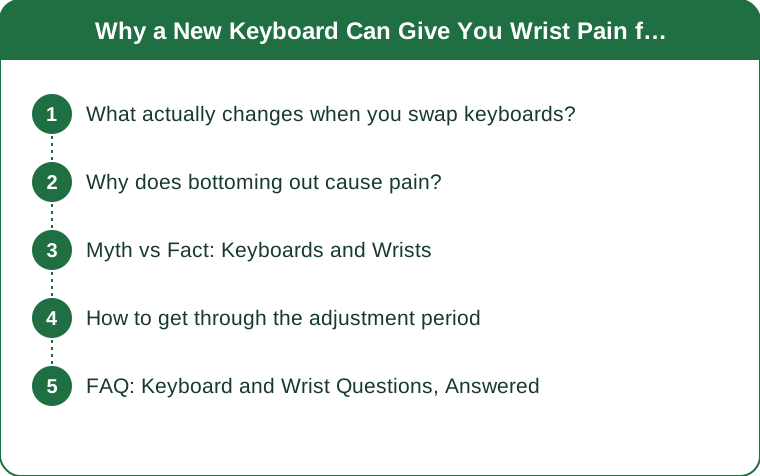
What actually changes when you swap keyboards?
Four variables at once, which is why the adjustment period is longer than people expect.
Actuation force changes. Different switches require different amounts of force to register, and your fingers have learned exactly how hard to press the old ones.
Travel distance changes. How far a key moves before it registers, and how far it can go afterwards, differs substantially between designs. A laptop keyboard and a mechanical one are not close.
Typing angle changes. Keyboard height and any built-in tilt alter how far your wrist has to extend, and wrist extension is directly linked to pressure inside the carpal tunnel.
Hand height above the desk changes. A thicker keyboard raises your hands, which either raises your shoulders or increases wrist extension, and usually a bit of both.
Your force calibration lags behind. Motor programs for typing are highly automated, and they update over weeks rather than days, which is why the first fortnight is where the pain lives.
And most people type harder on a new keyboard, partly from unfamiliarity and partly because a satisfying keystroke is genuinely rewarding, which encourages more force than the switch needs.
Why does bottoming out cause pain?
Because it turns every keystroke into a small impact.
Most switches register well before the bottom of their travel. Typing only needs enough force to reach the actuation point, and anything beyond that is wasted.
Bottoming out means driving the key into the base plate. The deceleration is abrupt, and the force travels back up through the fingertip and into the wrist and forearm.
Multiply by keystroke count. A typical working day is several thousand keystrokes, and turning each one into a small impact is a substantial cumulative load.
Lighter switches make it worse, not better, at first. Moving from a heavy switch to a light one means your existing force overshoots dramatically, and you bottom out on every single key.
Which produces the surprising complaint: the ergonomic upgrade hurts more than the cheap keyboard it replaced.
And the fix is technique, not equipment. Learning to release the key at actuation rather than driving it down takes a couple of weeks of attention, and it is what the lighter switch was supposed to enable in the first place.

Myth vs Fact: Keyboards and Wrists
Myth: Mechanical keyboards are better for your wrists. Fact: They can be, because tactile feedback lets you stop pressing at actuation. They can also be worse, because they are usually thicker, which raises your hands and increases wrist extension unless you adjust the desk or use a low-profile design.
Myth: Wrist rests protect your wrists. Fact: They are palm rests, and they are meant to be used between bursts of typing rather than during. Resting your wrist on one while typing plants the wrist and forces the fingers to reach, which increases strain rather than reducing it.
Myth: A split or ergonomic keyboard fixes wrist pain. Fact: It addresses forearm rotation and ulnar deviation, which are real contributors. It does nothing about height, wrist extension or typing force, and the adjustment period is longer than for a standard swap.
Myth: Lighter switches are always easier on the hands. Fact: Only once you have recalibrated. Immediately after switching, lighter switches produce more bottoming out, not less, because your force output has not changed yet.
Myth: A negative tilt is unnecessary fuss. Fact: Tilting the back of the keyboard slightly downward, or using a low-profile board on a lower surface, reduces wrist extension, which is one of the better-supported ergonomic adjustments available.
Myth: If it hurts, you need a better keyboard. Fact: Height, angle and technique account for most of it. Buying a third keyboard before addressing those usually produces a third adjustment period and the same problem.
How to get through the adjustment period
Six steps, in the order that helps most.
Fix the height first. Elbows at about ninety degrees with shoulders relaxed, forearms roughly level with the keyboard. If the new board raised your hands, lower the desk, raise the chair, or use a keyboard tray.
Flatten or negatively tilt the keyboard. Fold the feet down rather than up. Raising the back of a keyboard increases wrist extension, which is the opposite of what you want, and almost every keyboard ships with feet that do exactly that.
Type deliberately lightly for two weeks. Aim to release each key the moment it registers. It feels strange, it slows you down briefly, and it is the actual fix.
Float your wrists while typing and use the rest only during pauses. Wrists planted on a rest while the fingers reach is one of the more common self-inflicted problems.
Take a thirty-second break every twenty or thirty minutes. Hands off, shake out, straighten the fingers. Frequency matters far more than duration.
And expect two to three weeks. Motor recalibration takes that long, and abandoning the new keyboard at day five means starting another adjustment period with the next one.
One important caution: numbness, tingling, or pain that wakes you at night is a different category from typing fatigue, and it should be assessed by a doctor rather than adjusted around. Persistent pain that does not improve over a few weeks also warrants a proper look. This is general information, not medical advice.
FAQ: Keyboard and Wrist Questions, Answered
Why does my new keyboard hurt my wrists?
Usually a combination of bottoming out — pressing harder than the new switches need, because your fingers are calibrated to the old ones — and a change in hand height and wrist extension from a thicker board. Both resolve with technique and desk adjustment rather than another purchase.
Should I use the keyboard feet?
Generally no. The feet raise the back of the keyboard, which increases wrist extension. A flat or slightly negative tilt keeps the wrist closer to neutral, which is better supported by ergonomic evidence than the positive tilt most keyboards default to.
How long does it take to adjust to a new keyboard?
Typically two to three weeks for typing force and speed to recalibrate. Split or ergonomic layouts take longer, often four to six weeks. Abandoning the switch early means starting the adjustment again with the next keyboard rather than avoiding it.
TL;DR:
- A new keyboard changes force, travel, angle and hand height simultaneously; your calibration lags by weeks.
- Bottoming out is the main pain source, and lighter switches make it worse before they make it better.
- Fix height and tilt first — flat or slightly negative, never feet-up.
- Type deliberately lightly for two weeks and float your wrists, using the rest only during pauses.
If numbness or night pain is involved, that is not an adjustment period and it is worth getting looked at.
Keep Reading
This article is for general informational purposes only and is not medical advice. Always consult a qualified health professional for guidance specific to you.